Creating an Account: sign up, build your Brand Profile, and start your trial
The full first-run flow, from creating your account to building your first Brand Profile and starting your free trial.
Written By Ally | Team Assistant
Last updated 8 days ago
Getting started takes only a few minutes: create your account, let our Agent Ally build your first Brand Profile from your website and documents, and start your free trial.
Once you’re in, make sure to watch this brief Intro Video: First Steps: Quick Overview
Create your account
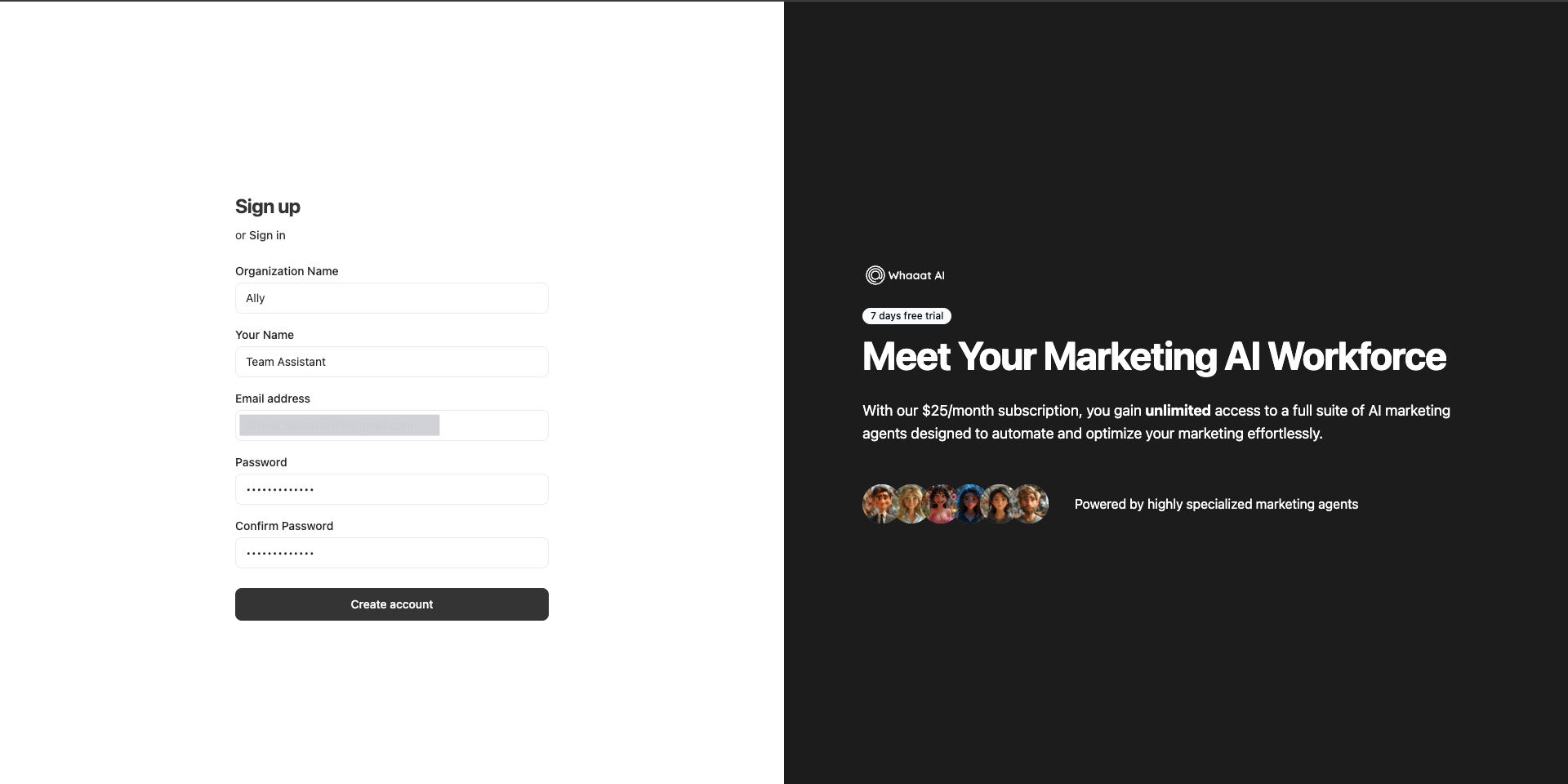
On the Sign up page, enter your Organization Name, Your Name, Email address, and a Password, then confirm the password and click Create account. If you already have an account, switch to Sign in.
Create your Brand Profile
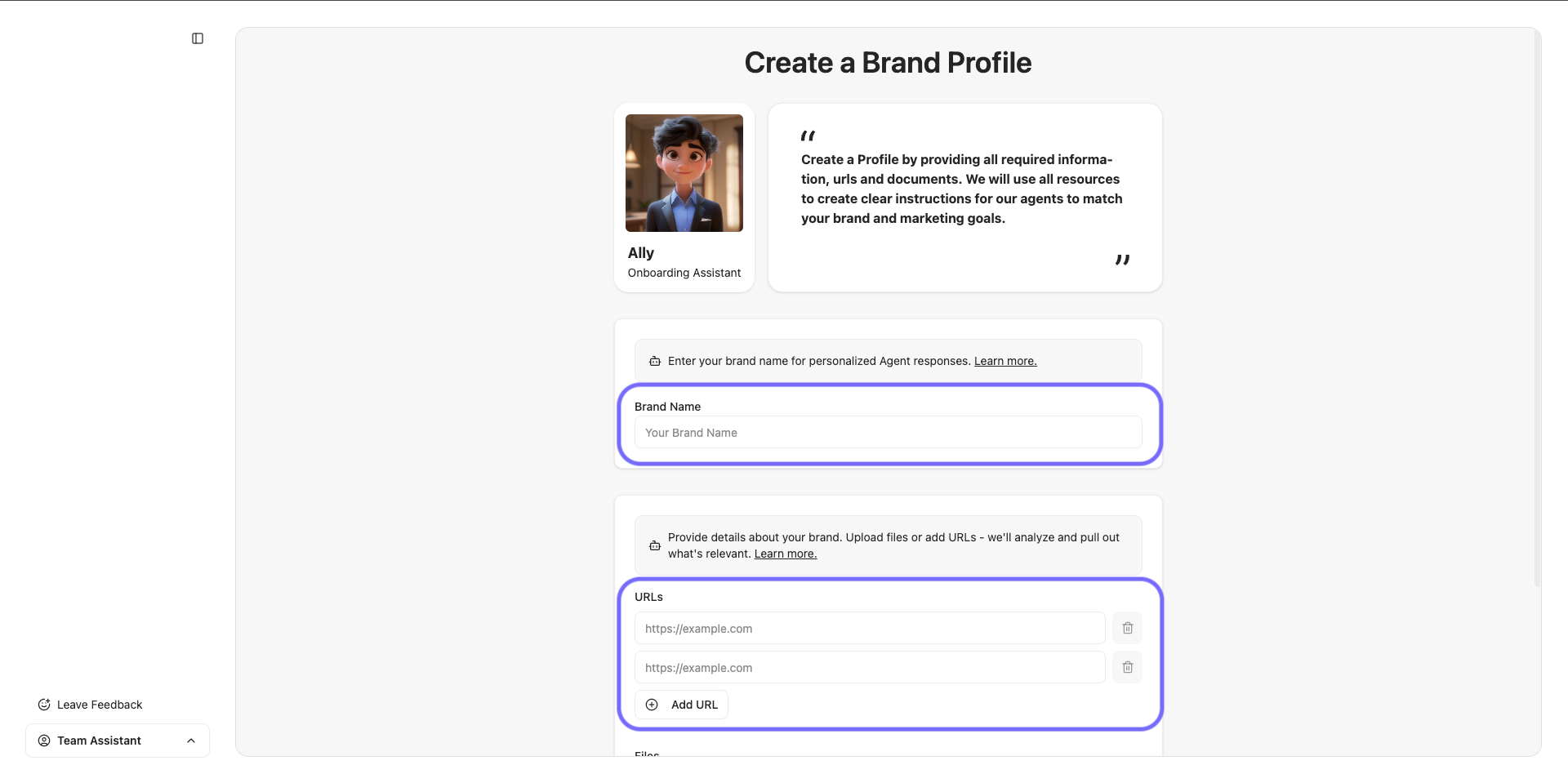
Ally, your Team and Onboarding Assistant, guides this step. Enter your Brand Name, add one or more URLs that represent your brand, such as your homepage and key pages, and optionally upload supporting Files (max 20MB each; formats .pdf, .txt, .md, .jpeg, .png).
Click Create Brand Profile. You can always fine-tune this Brand Profile later in the app. Learn more here: Fine-tuning your Brand Profile in the Data Hub
Let Agent Ally build the brand profile
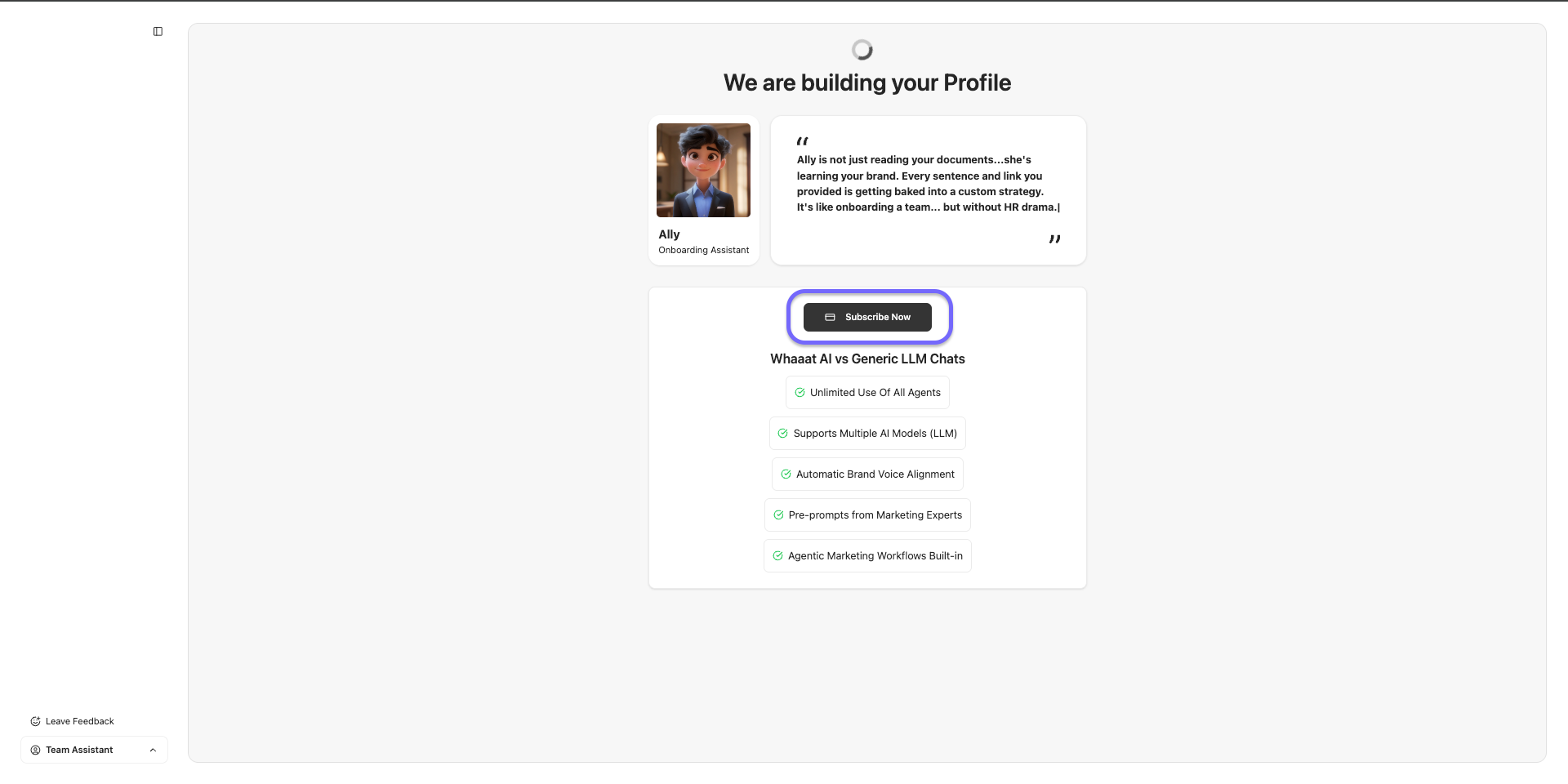
You will see "We are building your Profile" while Ally analyzes your URLs and documents to learn your brand. This takes a moment.
Subscribe to continue
A subscription is required to enter the app, but your trial is free, and we’ll remind you before the Paid Subscription starts. You can cancel anytime! Click Subscribe Now to do so. You don’t have to wait for Ally to finish your Brand Profile creation; it runs in the background.
Start your free trial.
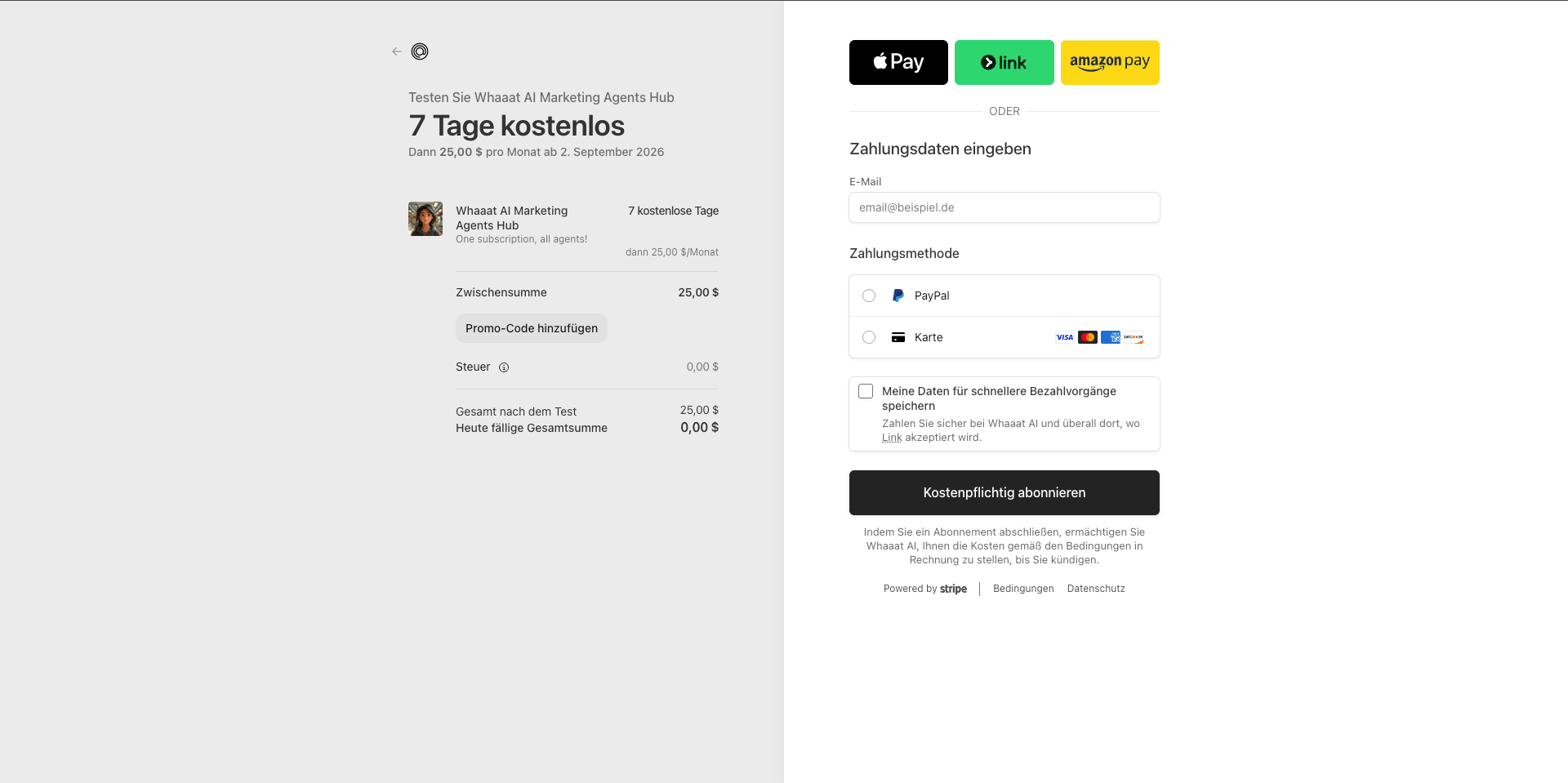
At checkout, you get a 7-day free trial, then the monthly subscription price. Enter a payment method and your billing details, then confirm. Nothing is charged today, and the amount due to start is 0. For payment options, what the plan includes, and how cancellation works, see Plans, trial, and billing.
You are in. After checkout, you land in the app with your new brand profile active and an empty chat ("Whaaat do you need?"). Start a New Chat, or open Agents to pick a specialist, and create your first piece of content.
👉 Learn how to get started: Working with agents: starting a chat and creating content
Common issues
"Please subscribe to continue" blocks the app: the trial needs a payment method on file. Complete checkout to proceed. You are not charged during the trial.
Brand details are wrong or incomplete: you can edit everything later by fine-tuning your Brand Profile.
Tips
The richer your Brand Profile inputs at this stage (good URLs plus a brand or tone-of-voice document), the more on-brand every agent's output will be. You can always add more later by fine-tuning the profile.
Your free trial becomes a paid subscription after 7 days unless you cancel, and you can cancel anytime from Billing.
Related articles
Fine-tuning your Brand Profile · Working with agents · Plans, trial, and billing
Was this helpful?
Still need help? Share an idea